December 2021 System Update
Overview
This release includes many UI/UX enhancements, integration with HaloPSA, cusotmer contact import, dark mode, introduction of a new customer dashboard.
- Addition of HaloPSA as an integration within vCIOToolbox
- Introduction of a client dashboard in the customer meeting mode.
- Addition of Customer contacts for use with Business Insight Surveys.
- Introduction of Dark Theme option
Halo PSA Integration
The HaloPSA integration will allow you to share information between vCIOToolbox and HaloPSA.  Current integrations include:
- Import HaloPSA customers
- Import HaloPSA customer contacts
- Create tickets and track status of each ticket created
- Create Opportunities from the vCIOToolbox created recommendations.
- Import Assets (*Note: Asset information is limited by the Halo PSA API, Halo expects to enhance their API to supply additional information in Q1 2022)

+
Customer Dashboard
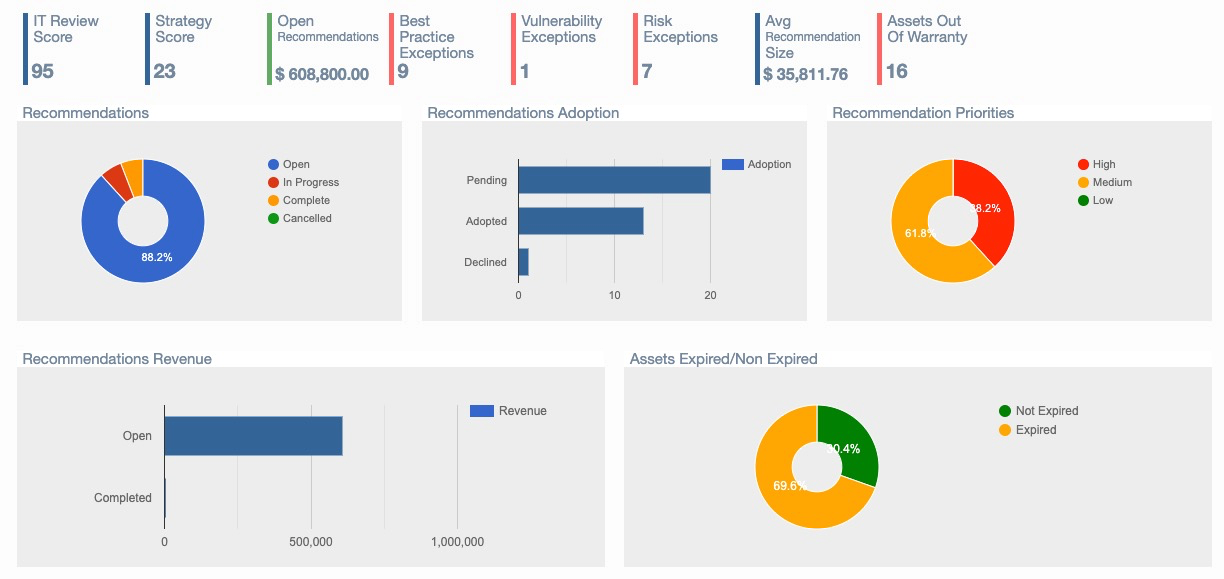
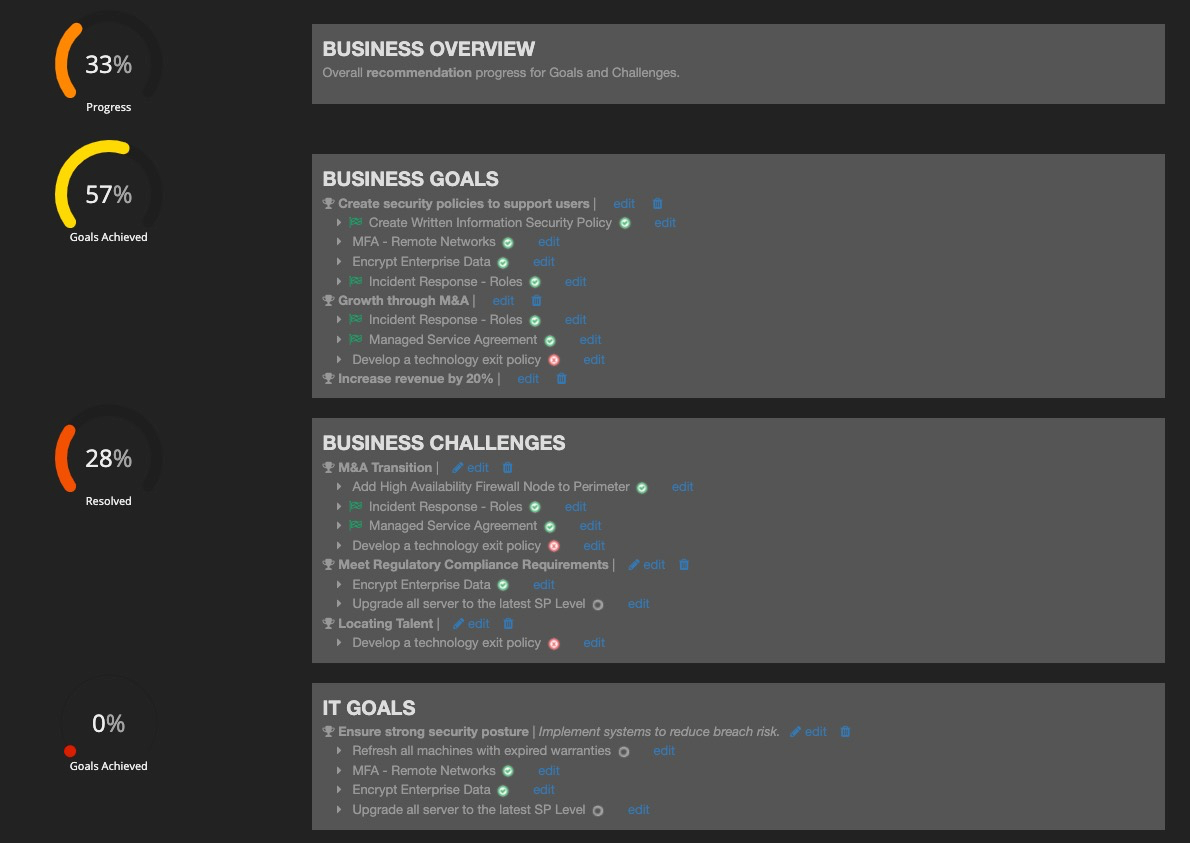
As vCIOToolbox continues to expand its automation and reporting capabilities with in the platform we are introducing customer dashboards.   This dashbaord is incorporated as an element of the customer meeting view allowing you to address findings as a simpler, easy to understand format when presenting to a client.
The initial dashboard includes current metrics including Assessment and Strategy scores, Open Budget, Gaps/Exceptions, Asset Expiration, Recommendation Status.
Import of Customer Contacts
We have added to our PSA integration capabilities the import of customer contacts. The intial use case for these contacts will be drop down selection of each person for easier delivery and management of the Business Insight survey.
As we move through 2022 contacts will be leveraged to automate enegagement and activity management.
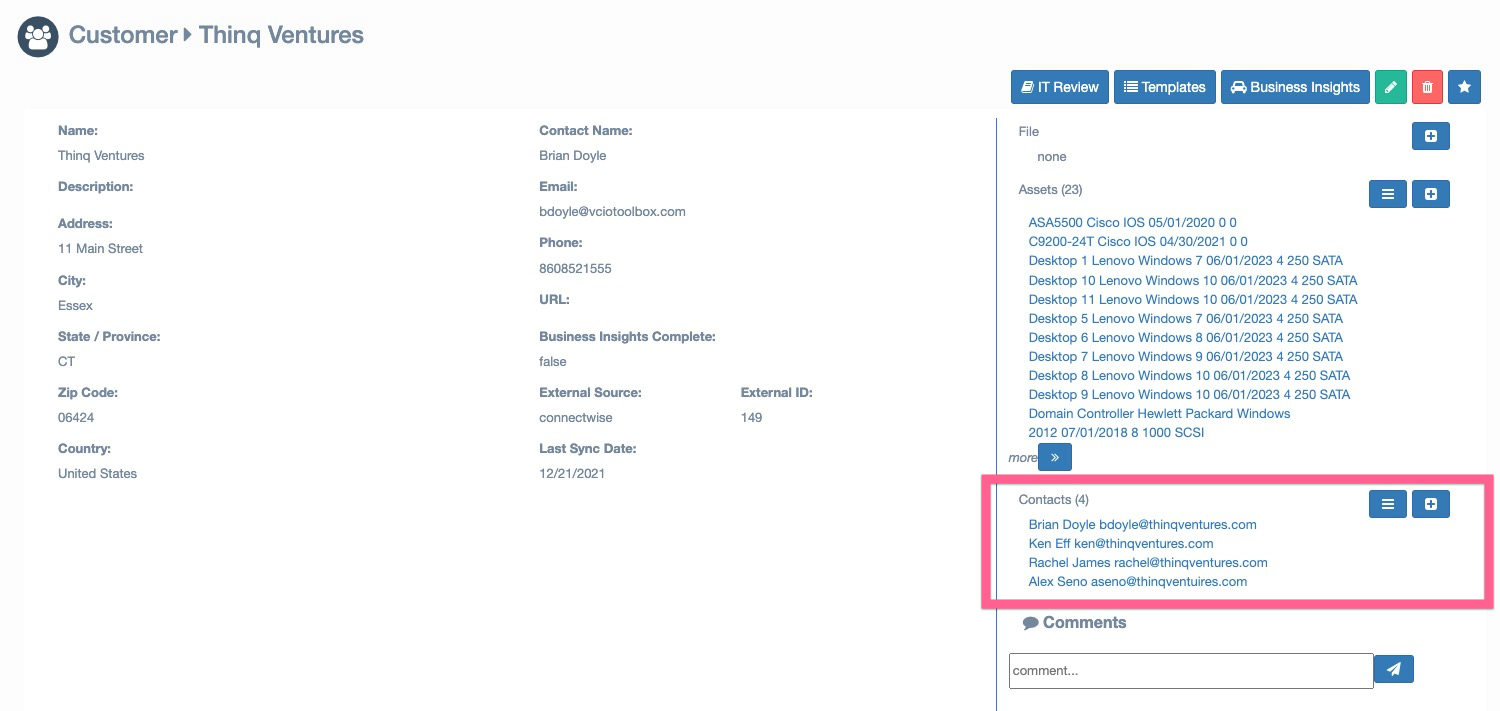
Customer contacts can be found inside the customer record
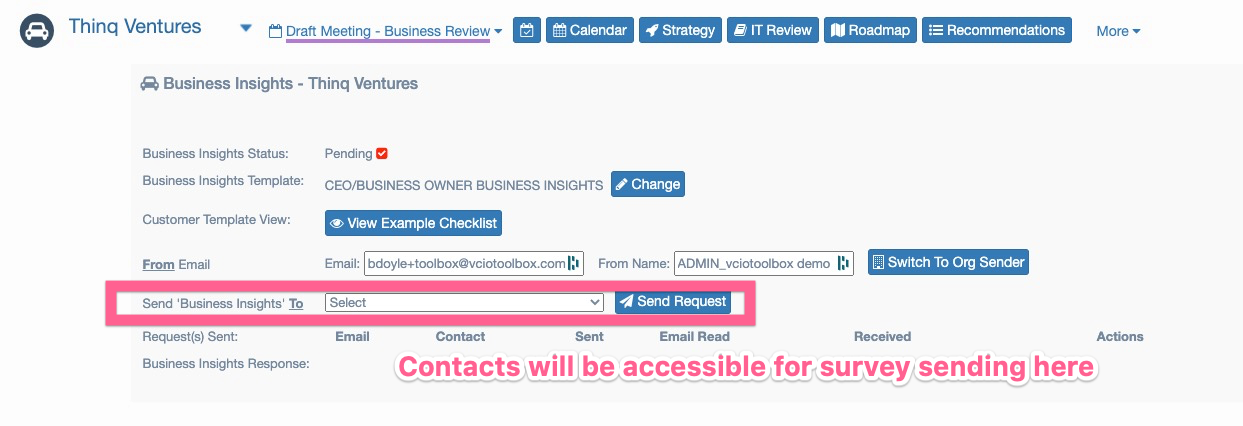
Customer contacts can be used for sending Business Insights surveys.
New Dark Theme Option
One of our most requested feature requests is finally here as a holiday gift for you! We have added a dark theme to vCIOToolbox.
Switching to the dark theme can easily be accomplished from your personalized settings found in the right hand corner of the application. [NAME] > Change Theme > Dark.  This theme can easily be changed both from the administrative and client meeting views within vCIOToolbox.
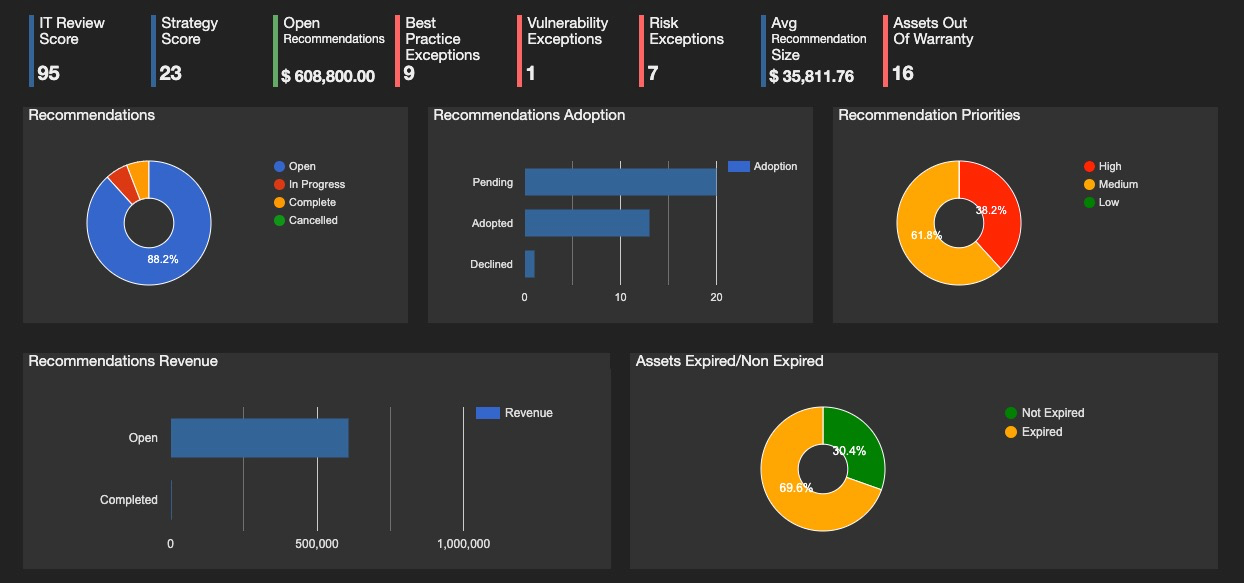
Customer Dashboard
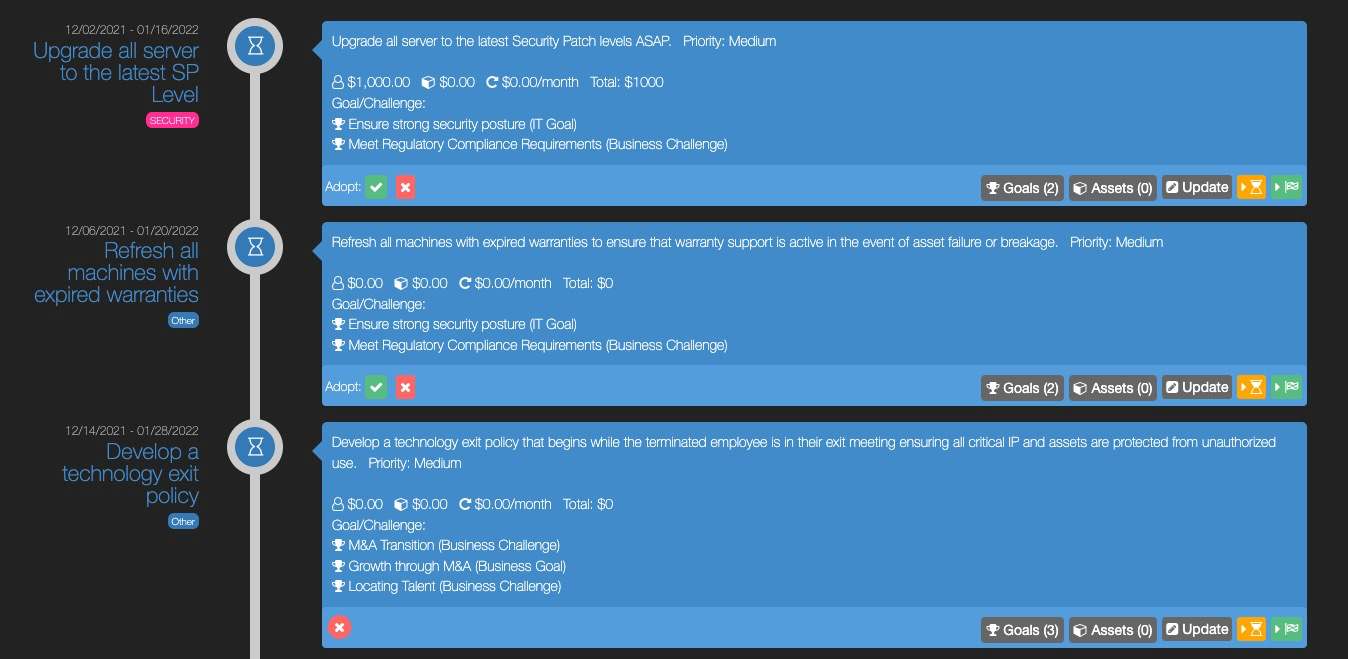
Recommendations – Summary View
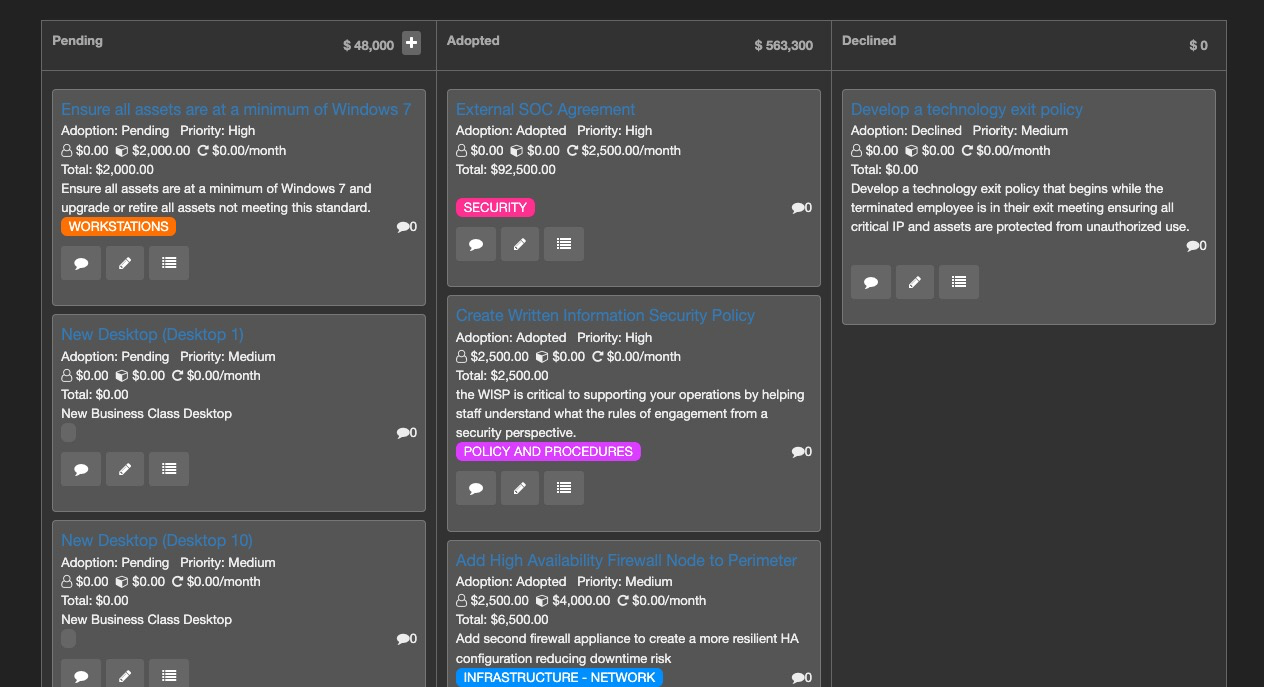
Recommendations – Kanban View
Strategy Dashboard