THE BUSINESS REVIEW AND BEYOND
The Trusted Advisor Platform for the Next Generation of IT Leaders
Stop running status meetings. Start driving decisions. One platform for QBRs, GRC, and AI readiness across every client, and an AI assistant that turns live data from your connected tools into business language your clients can act on.
QBR | GRC | AI READINESS & GOVERNANCE | RISK MANAGEMENT
Trusted by the best and most innovative MSPs





BUILD TRUST, AVOID THE COMMODITY TRAP
Don’t report on the past
Look to the future.
Every business owner is getting hit from four directions at once. AI, cyber risk, compliance mandates, and insurance requirements are all landing on the same desk, and most owners have no idea where to start. A ticket summary isn’t going to tell them.
That’s the opening for MSPs who are ready to lead.
The MSPs who win the next decade won’t be the ones with the best tools or the lowest price. They’ll be the ones who walk in with the full picture, use the data, explain what it means for the business, and drive the decision.
That’s not just better service. It’s a different role entirely. It builds trust.
CONSOLIDATE YOUR TOOLS
One Platform
Driving QBRs, GRC, & AI Programs.
Most MSPs run advisory work across a QBR tool, a GRC tool, spreadsheets, and slide decks. vCIOToolbox brings it together, so your team works from one source of truth and every client hears one consistent story.
QBR and TBR software
for MSPs
Standardize business reviews across every client. Review checklists map to each client’s contract. The recommendations engine ties proposed projects to business goals and affected assets. Approved initiatives sync to your PSA as opportunities and tickets. Build multi-year roadmaps and budgets clients can plan around.
Explore QBR and TBR
GRC for
vCISO services
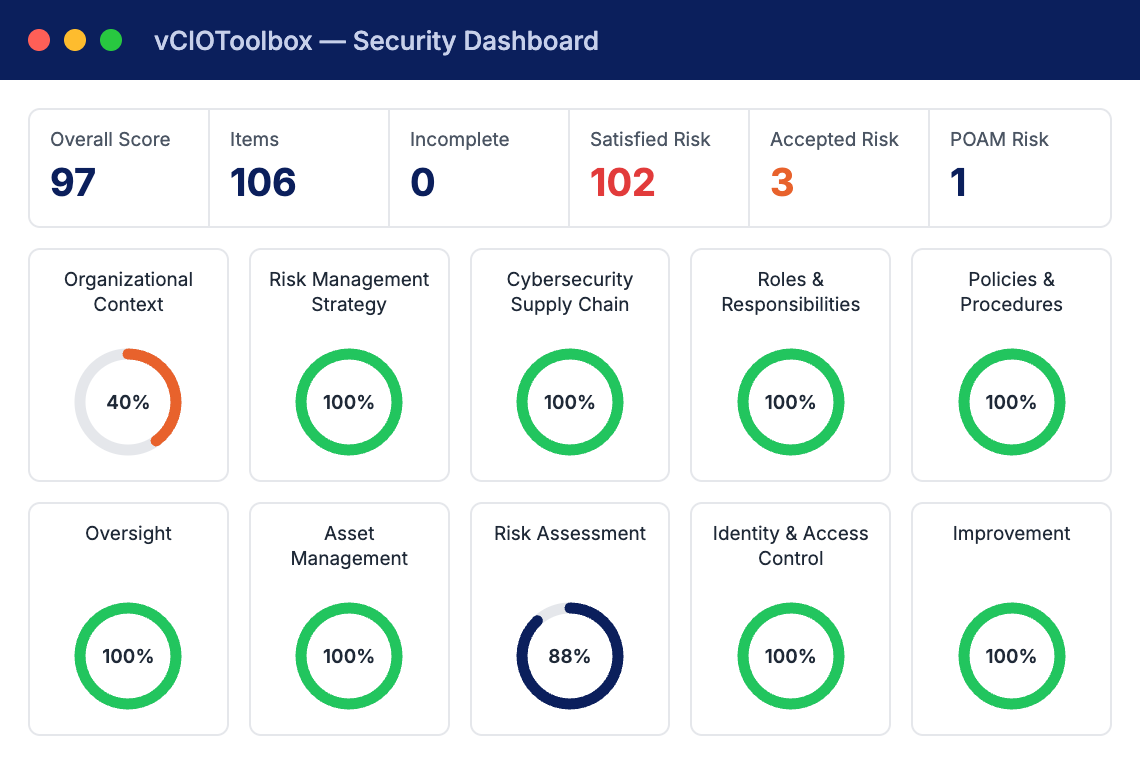
Run cybersecurity assessments against 35+ frameworks, including NIST CSF 2.0, NIST 800-171, CMMC 2.0, ISO 27001, CIS v.8.1, and more. Manage policies, evidence, a scored risk register, and third-party vendor risk in the same console your vCIOs use.
Explore GRC
AI readiness and governance
Assess each client’s readiness for AI across five pillars, score the gaps, and turn them into a roadmap of AI projects you can scope, price, and deliver. Create new revenue opportunities through AI Governance capabilities, including NIST AI RMF v.1 and ISO 42001 AIMS systems.
Explore AI Readiness and Governance
Redefine the relationship with every client.
vCIOToolbox is built around a framework that turns a service provider into a Trusted Advisor they cannot live without.
01
Become the Trusted Advisor
Walk into every meeting with the complete picture: risk, compliance, roadmap, budget, and asset lifecycle in one place, framed in business terms your client’s leadership understands.
02
Lead strategically, not reactively
Turn assessments into prioritized initiatives, multi-year roadmaps, and budgets tied to each client’s goals. You set the agenda instead of responding to the last outage
03
Build Better Outcomes
Give clients a live, read-only view of their scorecards, plan progress, and roadmap. When clients can see the trend and the gap, they reach the next step with you, instead of waiting to be sold.
NEW
Meet the AI assistant built for vCIOs and vCISOs
Ask a question in plain language and get an answer drawn from every connected tool across your entire portfolio, in real time. The vCIOToolbox AI assistant doesn’t just surface findings. It explains why they matter in business terms, so you deliver the conversation in business speak, not tech speak.
- Prepare faster. Pull QBR, compliance, and assessment context in seconds instead of assembling it by hand.
- See the why. Understand the cause and business impact behind risk scores and assessment results before you walk into the room.
- Stay close between reviews. Have current information ready for weekly and monthly touchpoints, and schedule updates to share with clients.
Move to initiatives faster. Turn findings into strategic initiatives, recommendations, and roadmap items.
You stay in control. Nothing the AI assistant produces reaches a client until your team reviews and publishes it.
MCP SERVER
Your vCIOToolbox data, in the AI tools you already use
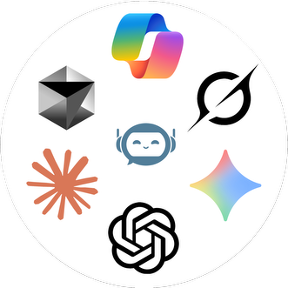
The vCIOToolbox MCP server securely connects your platform data to the AI tools your team already works in, including Claude, ChatGPT, Microsoft Copilot, Google Gemini, and Grok. Ask portfolio-wide questions, draft client briefs, and build recommendations without exporting a spreadsheet.
Access follows each user’s role in vCIOToolbox, so your team can read and update data from their AI tool only where their role allows.
Note: Data shared with third-party AI tools is governed by that provider’s terms.
FOR THE PRACTITIONER
For vCIOs and vCISOs:
Advise more, assemble less
Your value is the strategic conversation, not the hours spent building the deck. vCIOToolbox gives you one place to prepare, present, and follow through, so you can cover more clients without cutting corners on any of them.
- Up to 80% less TBR prep time, as reported by vCIOToolbox customers
- 30–60 days faster deal cycles, as sales friction is reduced
- Reduce client churn and improve retention.
YOUR QUESTIONS ANSWERED
Frequently Asked Questions (FAQs)
What is vCIOToolbox?
vCIOToolbox is the Advisor Operating System for MSPs and MSSPs: one platform to run QBRs, GRC, and AI readiness across every client, and to manage the advisory practice across the whole portfolio.
vCIOs, vCISOs, account managers, and customer success teams use it to prepare business reviews, run compliance assessments, build roadmaps and budgets, and share progress with clients.
What is an Advisor Operating System?
An Advisor Operating System is a single platform that runs an MSP’s entire client advisory practice: business reviews, governance, risk and compliance, strategic roadmaps, and account management.
Instead of juggling a separate QBR tool and GRC tool, the MSP works from one source of truth and delivers one consistent strategy to each client. vCIOToolbox is built as the Advisor Operating System for MSPs and MSSPs.
How is vCIOToolbox different from a QBR tool or a GRC tool?
|
A QBR tool helps you run meetings, build strategy, and display a budget. . A GRC tool helps you run assessments. vCIOToolbox does both in one platform and connects them: assessment findings become recommendations, recommendations become roadmap items and budgets, and progress shows up in every business review. MSPs can consolidate two tools into one and give clients a single, consistent view of where they stand. |
What does the vCIOToolbox AI assistant do?
The vCIOToolbox AI assistant lets vCIOs and vCISOs ask questions in plain language and get answers drawn from every connected integration across their portfolio, in real time.
It adds business context to findings, helps prepare QBRs, compliance reviews, and weekly or monthly client touchpoints, and speeds up building strategic initiatives. Your team reviews all AI-assisted output before sharing it with a client.
Is the AI assistant included in my vCIOToolbox subscription?
Yes. The AI assistant and MCP server access are included with vCIOToolbox subscriptions at no additional cost. Visit the pricing page for plan details.
What is the vCIOToolbox MCP server, and which AI tools does it work with?
MCP (Model Context Protocol) is an open standard that lets AI tools connect securely to business applications.
The vCIOToolbox MCP server lets your team work with vCIOToolbox data inside the AI tools they already use, including Claude, ChatGPT, Microsoft Copilot, Google Gemini, and Grok, to ask portfolio-wide questions, draft client briefs, and build recommendations.
What do my clients see in vCIOToolbox?
Clients get a customer portal that mirrors their meeting view: current dashboard metrics, strategic plan progress, assessment scorecards, and roadmap.
Clients can view but not change anything, and AI-assisted content is published only after your team reviews it. The portal can run on your own custom domain.
Which compliance frameworks does vCIOToolbox support?
vCIOToolbox supports 30+ regulatory and security frameworks, including NIST CSF 2.0, NIST 800-171, CMMC 2.0, ISO 27001/27002, CIS Controls v8.1, and more. Built-in templates let you assess clients, track remediation, manage policies and evidence, and report on security posture over time
Which PSA and documentation tools does vCIOToolbox integrate with?
vCIOToolbox integrates with ConnectWise, Datto Autotask, Kaseya BMS, IT Glue, N-able N-central, and Liongard, to name a few. With over 25 integrations (and growing), the system keeps getting smarter. See the full list
Client and asset data flows in to speed up reviews, and approved recommendations sync back to your PSA as opportunities and tickets.
WANT TO LEARN MORE?
Your clients are looking for someone to lead.
Make sure it’s you.
See how vCIOToolbox and the new AI assistant help your team prepare faster, lead with confidence, and turn every review into a decision. Become the advisor that your client deserves!