We Understand IT Service Providers
Our Co-Founder, Brian Doyle, leveraged this process to create exceptional client experiences during his 15+ years in MSP and data center services.
The process focuses on making the MSPs trusted advisors to their clients. With vCIOToolbox, you can conduct traditional quarterly business reviews (QBRs), manage security and compliance, and act as their virtual Chief AI Officer, all with a single-thread message around risk, roadmap, and goal-based outcomes.
The platform serves as the Advisor Operating System and supports our Trusted Advisor community and their client conversations. Our AI Assistant helps them surface information quickly to answer any question that comes their way.
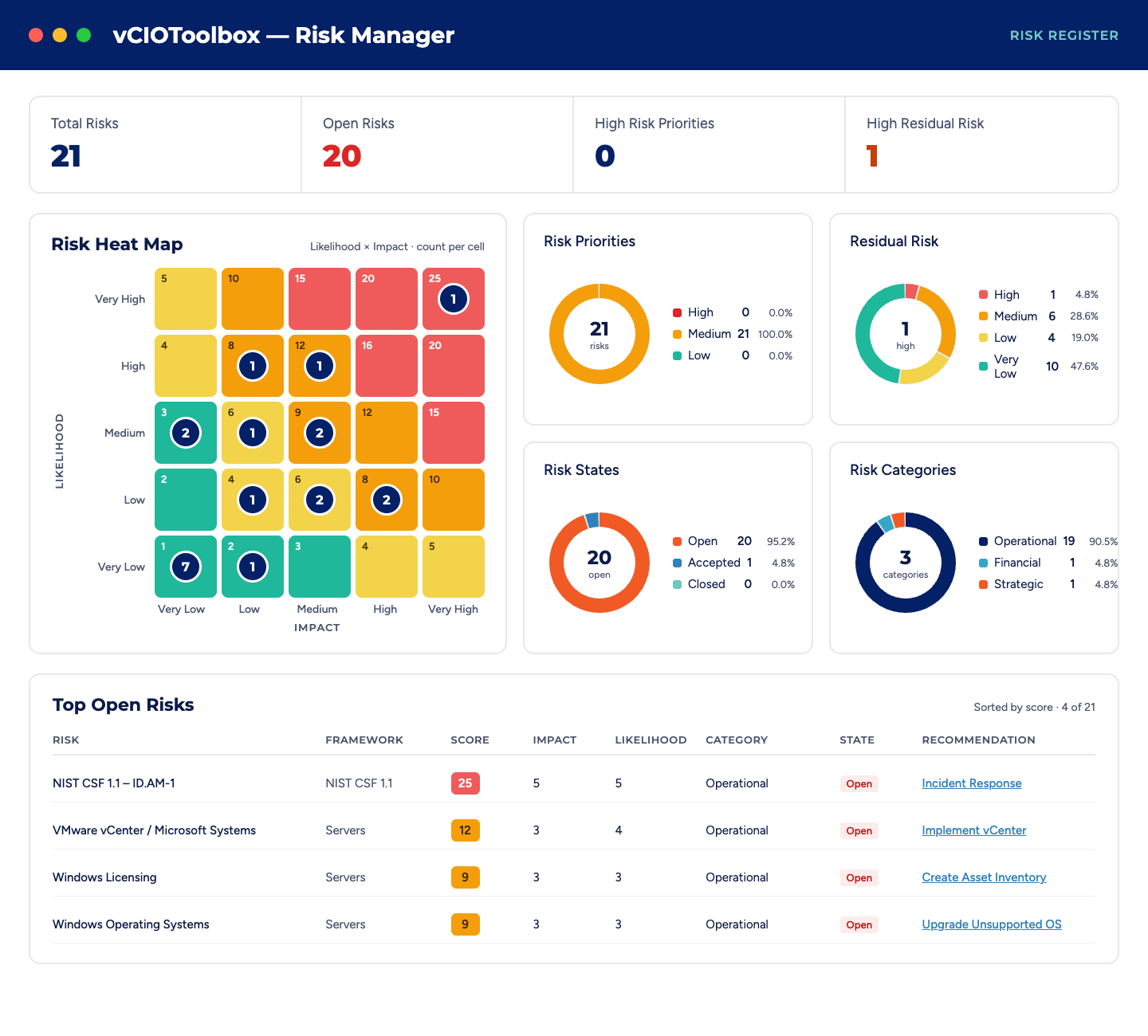
Four Key Reasons you Need vCIOToolbox!

We enable your to keep clients longer, and make them happier!
Avoid the “Curse of the Great MSP”. We automate and remotely remediate, resulting in fewer problems and, occasionally, clients questioning your long-term value. vCIOToolbox solves that.

We help Your customers understand the "Why" behind each project
Help your customer see what they will need and when they will need it by building dynamic technology roadmaps to meet their strategic plan.

Ensure that your customer secure and compliant
Build a program to provide security advisory and governance to combat cybersecurity threats. Help the customer meet the needs of cyber liability insurers and regulatory compliance requirements.

Our process shortens project and service sales cycles and increases revenue per client
Show the customer the business impact of an issue and the business case behind each product or service. This gives the customer more information to support their review process and get to “Yes”.
The Challenge Facing MSPs and MSSPs

The industry is shifting around us. Customers are looking to do more, innovate, and streamline processes. AI is enhancing businesses’ ability to do more and driving automation, but they still need a guide, and that’s where you come in.
vCIOToolbox gives MSPs the tools they need to run their advisory services, whether it’s simple business reviews, building security and compliance plans, managing risk, or delivering on AI. There are tools to support you with every consultative requirement you may have.
VCIOToolbox provides a single platform where the entire team can work, contribute their areas and expertise-related information, leverage automation and integrations built natively into the platform, and ultimately engage through the tools they use every day via our MCP server.
We try to make things easy, but vCIOToolbox becomes the guardrails that ensure participants on your advisory team get the information they need and only the information they need.
We meet your MSP where you live
Individually Tailored Training
Our team understands that no two MSPs or MSSP’s are created equal. Every MSP is unique in its approach to the market, account management, and operations. Our job is to provide you with a platform and resources that can be customized to be as unique as you are.
Each subscription comes with two (2) onboarding meetings to help you get acquainted with the SaaS platform and its controls.
For those that want a more individualized approach, we have developed the vCIOToolbox RampCamp a 10 week accelerator program.
vCIOToolbox Ramp Camp
A vCIO Accelerator Program that delivers results. Part training, coaching, and accountability, this 10 week program ensures that you hit the ground running and start seeing return on investment (ROI) on the QBR process.
Frequently Asked Questions (FAQs)
What is vCIOToolbox?
vCIOToolbox is an Advisor Operating System for managed service providers (MSPs) and MSSPs. It brings QBRs, key account management, AI readiness, and governance, risk and compliance (GRC) into one platform. vCIOs, vCISOs, and account managers use it to lead strategic client conversations around risk, roadmap, and business outcomes, instead of tickets and technology alone.
Who founded vCIOToolbox?
vCIOToolbox was co-founded by Brian Doyle, who spent more than 15 years in MSP and data center services. The platform turns the advisory process he used to create exceptional client experiences into software any MSP can run.
Who is vCIOToolbox built for?
vCIOToolbox is built for MSPs and MSSPs that deliver advisory services, and for the people who run them: MSP owners, vCIOs, vCISOs, technology alignment managers, and account managers.
MSP leaders get a portfolio-wide view of every client. Practitioners get one place to prepare for, run, and follow up on strategic client meetings.
What is an Advisor Operating System?
An Advisor Operating System is a single platform for running an MSP’s advisory practice end to end. It covers account management, business reviews, strategic roadmaps, AI readiness, security, and compliance. vCIOToolbox created the category to replace the separate QBR tools, GRC tools, and spreadsheets that many MSPs stitch together today.
How is vCIOToolbox different from a QBR tool or a GRC tool?
A QBR tool prepares meetings and a GRC tool tracks controls. vCIOToolbox does both on one client record, plus key account management and AI readiness. A finding in a risk assessment can become a recommendation, a roadmap item, and a QBR agenda topic without re-keying data or switching tools.
What onboarding and training does vCIOToolbox include?
Every vCIOToolbox subscription includes two onboarding meetings to get your team set up on the platform.
MSPs that want more hands-on help can join RampCamp, a 10-week accelerator that combines training, coaching, and accountability.
Self-paced courses are also available through vCIOToolbox University.
Where is vCIOToolbox data hosted?
vCIOToolbox runs separate regional instances in the United States, the European Union, and Australia. This supports all MCP services as well.
MSPs sign in to the region where their account is hosted
Is vCIOToolbox SOC 2 compliant?
Yes, vCIOToolbox is SOC 2-compliant and adheres to security controls that cover most major regulations.
Your Title Goes Here
Your content goes here. Edit or remove this text inline or in the module Content settings. You can also style every aspect of this content in the module Design settings and even apply custom CSS to this text in the module Advanced settings.