KEY ACCOUNT MANAGEMENT · ADVISOR OPERATING SYSTEM
Know Every Account.
Lead Every Conversation.
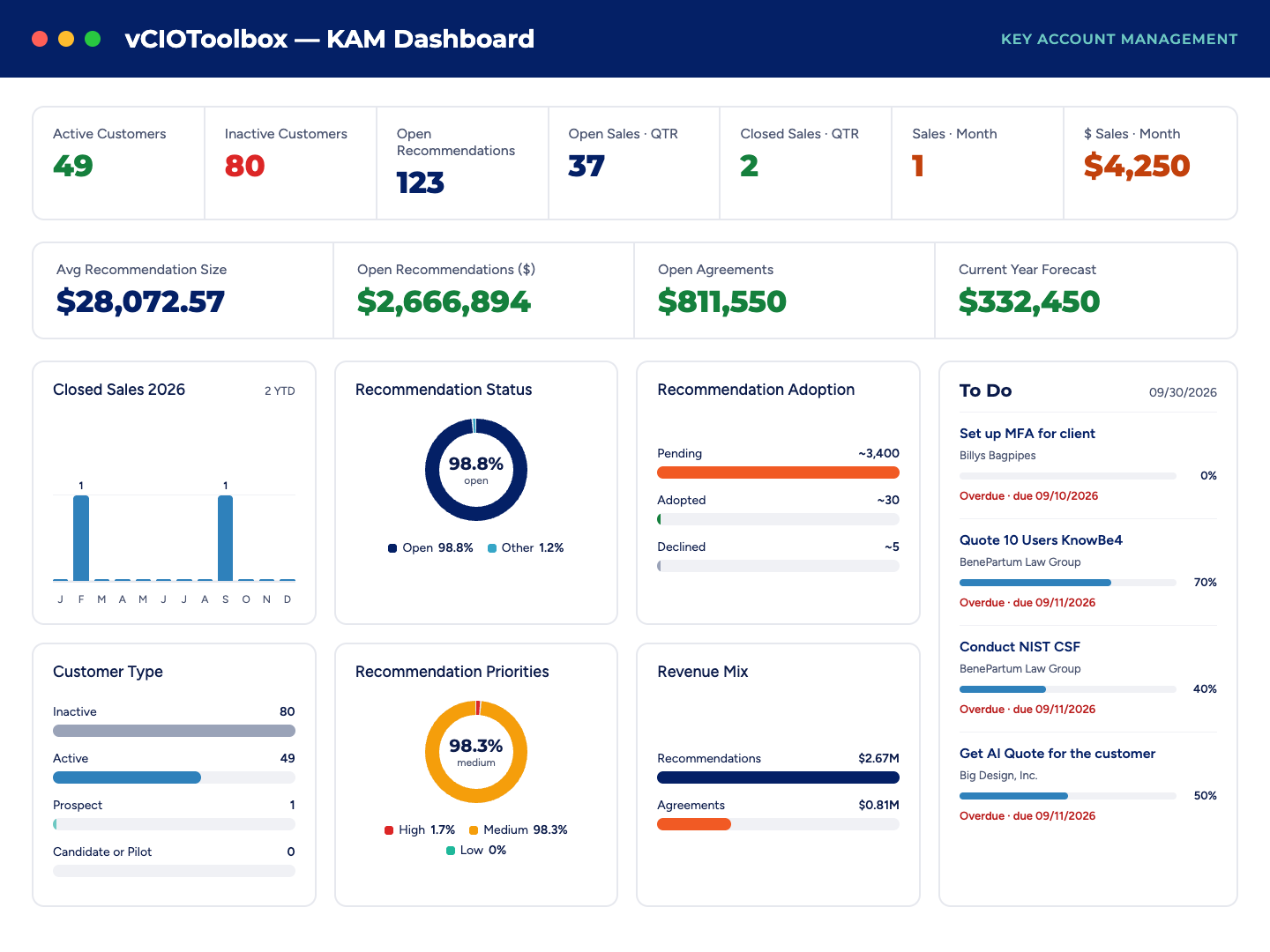
See every account, contact, opportunity, and open recommendation across your portfolio in one view,
and let the AI assistant show you which clients need you next, in business terms your clients understand
Most MSPs don’t lose clients in the QBR.
They lose them in the 89 days in between.
Account knowledge lives in five places: the PSA, a spreadsheet, a vCIO’s inbox, last quarter’s deck, and someone’s memory. Opportunities stall. Recommendations age. A key contact changes roles, and nobody notices until renewal.
That isn’t a relationship problem. It’s a visibility problem — and it’s why too many MSPs are still treated as a vendor instead of an advisor.
Key account management fixes that by putting the whole relationship in one place — and telling you where to act.
What is key account management in vCIOToolbox?
Key account management (KAM) in vCIOToolbox is the relationship layer of the Advisor Operating System. It connects each client’s pipeline, contacts, surveys, assets, security posture, and strategic plan with your PSA data, so vCIOs, vCISOs, and account managers can prioritize the right clients and lead strategic conversations across the entire portfolio.
Power up your
pipeline
Opportunities from ConnectWise Manage, Datto Autotask, Kaseya BMS, HaloPSA, and Syncro roll into one Global Dashboard. See account pipelines, sales results, and recommendation adoption for every client. .
Know every stakeholder
Jump to any company or contact in seconds. Launch tasks and CSAT/NPS surveys straight from a contact record. Each customer profile keeps documents, tasks, assets, and for Microsoft 365 clients, your Microsoft Secure Score in one place
Get closer by getting strategic
Build SWOT analyses and Business Canvas models right from the company profile. Use the Customer Rater to rank clients, gauge partnership strength, and decide where to invest more time, or where to rethink the relationship.
Move from KAM view
to client workspace
When it’s time for a QBR or compliance review, one click opens the QBR and GRC modules on the same client record. No re-keying. No second tool. No lost context.
One record. One story. Every meeting.
NEW AI ASSISTANT
Ask your portfolio a question. Get an answer you can take to the client.
The vCIOToolbox AI assistant works across every connected account in real time. It surfaces what needs attention and adds the business context behind it, so your team walks in speaking business, not tech.
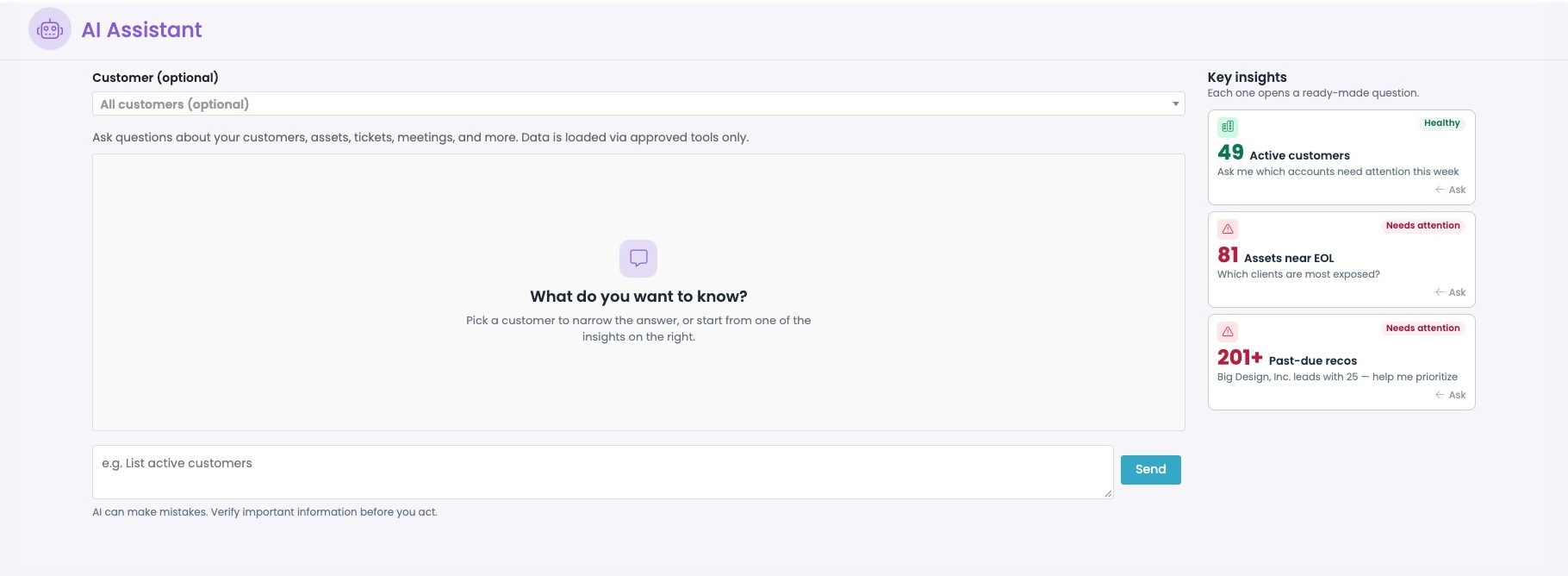
“Which clients have recommendations open longer than 90 days?”
“Which key accounts don’t have a business review scheduled this quarter?”
“Summarize [Client]’s risk posture in language their CFO will understand.”
“Where are my biggest renewal and expansion opportunities in the next 60 days?”
One platform for the whole relationship
Most MSPs stitch together a PSA, a QBR tool, a GRC tool, and a pile of spreadsheets to run advisory services. vCIOToolbox brings key account management, QBRs, AI readiness, and GRC into a single Advisor Operating System — with a portfolio view for your team and a client-ready view for theirs.
YOUR QUESTIONS ANSWERED
Frequently Asked Questions (FAQs)
What is key account management for MSPs?
Key account management for MSPs is the practice of prioritizing and actively managing your most valuable client relationships: tracking stakeholders, opportunities, satisfaction, risk, and strategy so you can retain and grow those accounts.
vCIOToolbox gives MSPs, vCIOs, and vCISOs one place to do this across their entire client portfolio.
How is vCIOToolbox different from my PSA or CRM?
Your PSA runs service delivery, and your CRM tracks deals. vCIOToolbox sits above both as an Advisor Operating System.
It pulls opportunities and client data from your PSA and connects them to strategic plans, recommendations, QBRs, and GRC, so KAM focuses on client gaps and outcomes in addition to a budget plan vs. single deals.
Which PSA platforms does vCIOToolbox integrate with?
vCIOToolbox key account management syncs opportunities and client data from ConnectWise Manage, Datto Autotask, Kaseya BMS, HaloPSA, Atera, and SyncroPSA. The platform also connects with documentation and security tools such as IT Glue and Microsoft 365. See the Integrations page for the full list.
How does the AI assistant help with account management?
The vCIOToolbox AI assistant searches every connected account in real time and answers questions like which recommendations are aging, which key accounts have no review scheduled, and where renewals are coming up.
It adds business context to each finding so vCIOs can take the conversation to clients in business terms, not technical ones
Can I use my vCIOToolbox data in ChatGPT, Claude, or Microsoft Copilot?
Yes. vCIOToolbox offers MCP access for Claude, ChatGPT, Microsoft Copilot, Google Gemini, and Grok. Users can read and act on their vCIOToolbox data from the AI tool they prefer, and access always follows the role-based permissions each user has inside the app.
Is my client data used to train AI models?
No. Data in vCIOToolbox, including data accessed through the AI assistant or MCP, is not used to train AI models. Access is governed by each user’s role-based permissions in the application.
What do my clients see?
Clients see a read-only version of their meeting view in the vCIOToolbox customer portal: dashboard metrics, strategic plan progress, assessment scorecard, and roadmap.
AI-generated content appears in the portal only after the MSP reviews and approves it, so a human stays in the loop.
Does vCIOToolbox support technology alignment managers (TAMs) and account managers?
Yes. vCIOs, vCISOs, technology alignment managers, and account managers all work from the same client record in vCIOToolbox, while MSP leaders get a portfolio-wide view of pipeline, recommendation adoption, and client health across every account.
What is the vCIOToolbox Customer Rater?
The Customer Rater is a vCIOToolbox tool that ranks clients by partnership strength and potential. MSPs use it to decide where to invest advisory time, identify accounts ready for expansion, and spot relationships that may need a reset or a portfolio adjustment
Your clients are deciding whether you’re a vendor or an advisor. Give them the answer.
See how vCIOToolbox puts every account, opportunity, and strategic conversation in one place — with an AI assistant that tells you where to lead next.